Hotlink.cc Premium Account: Speed Test, Prices & Review
If you already have a Hotlink.cc download link, you have probably hit the free-tier wall: a 56-second countdown, captchas, one file per day, and speeds around 37–50 KB/s. Upgrading to a Hotlink.cc Premium account removes the timer and speed cap, unlocks full-length online video streaming, and lets you pull up to eight files at once.
We ran real Chrome download tests comparing Free against Premium (single and parallel downloads) and broke down every plan, the 66 GB rolling traffic rule, download manager compatibility, and what to check before paying.
Independent guide (not operated by Hotlink.cc). We may earn a commission if you purchase through our links.
By Changbin Ge · Tested & updated November 26, 2026
Hotlink.cc Premium Prices & Plans
Hotlink.cc sells four time-based Premium plans priced in USD. All four unlock the exact same speed, video playback, and traffic allowance—the only difference is duration and daily cost.
| Duration | Total Price (USD) | Approx. Daily Cost | Savings vs. 30 Days |
|---|---|---|---|
| 30 days | $23.95 | ~$0.80 / day | Baseline |
| 60 days | $36.95 | ~$0.62 / day | Save 22% |
| 90 days (Popular) | $47.95 | ~$0.53 / day | Save 34% |
| 365 days (Best Value) | $109.95 | ~$0.30 / day | Save 62% |
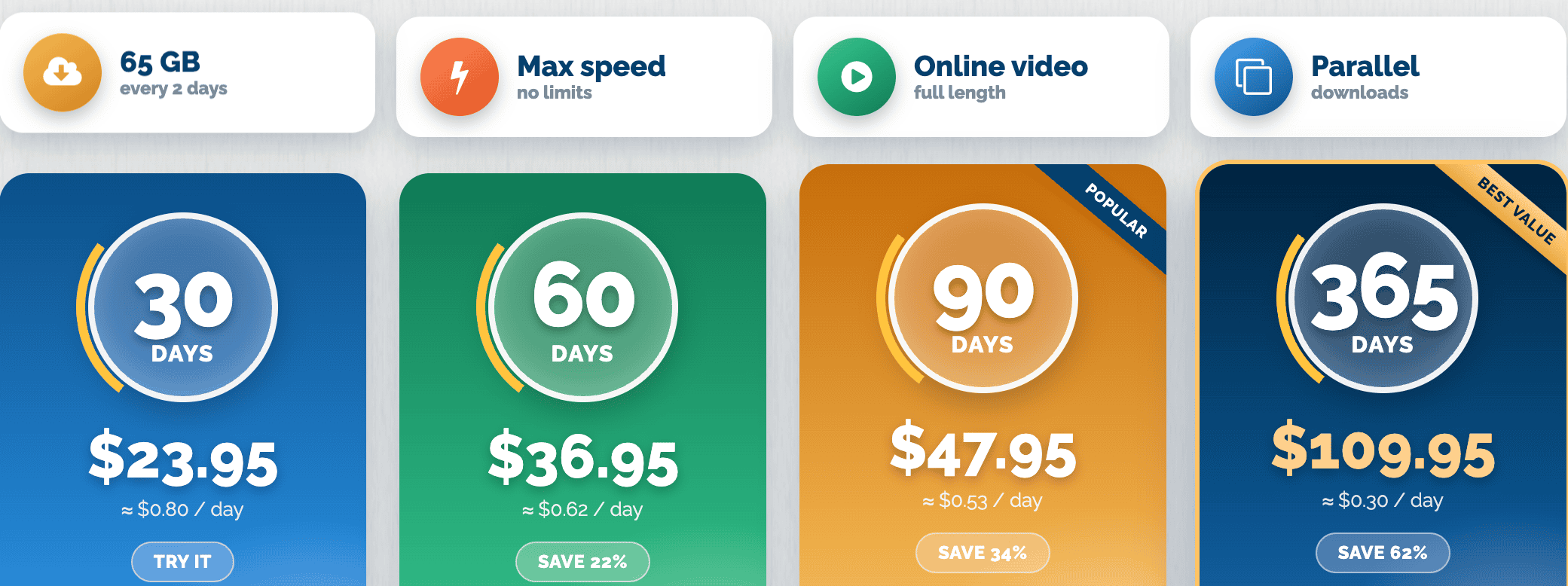
Which plan makes sense? Pick 30 days ($23.95) for a quick batch of downloads. Choose 90 days ($47.95) if you grab Hotlink.cc links every few weeks. Only buy 365 days ($109.95, about $9.16/month paid upfront) if you already use Hotlink.cc regularly.
Official checkout vs. Premium Keys: You can upgrade directly on Hotlink.cc or redeem a voucher code (often searched as a Hotlink premium key) from an authorized reseller. Buying directly on Hotlink.cc avoids reseller markups and keeps billing support straightforward.
View Current Plans on Hotlink.cc
Real Hotlink.cc Speed Test: Free vs. Premium
To measure the real-world gap between Free and Premium, we ran sample downloads in Google Chrome (incognito mode, no download manager) using files hosted directly on Hotlink.cc.
| Test Scenario (Chrome) | Test File(s) | Observed Speed | Combined Throughput |
|---|---|---|---|
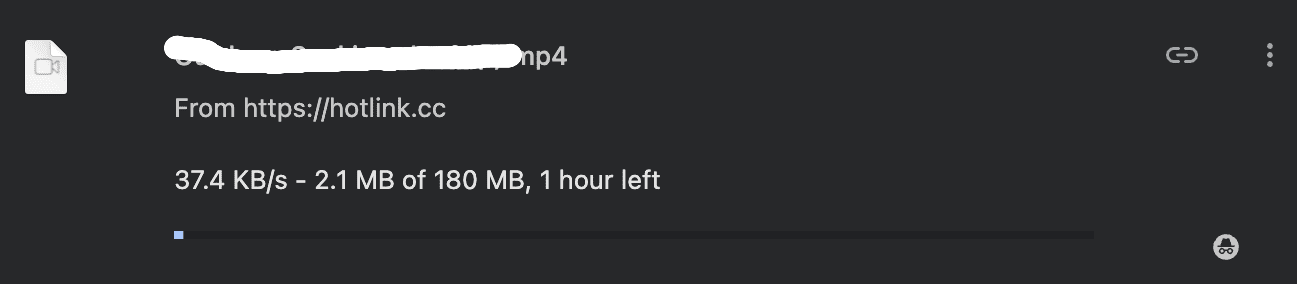
| Free download | 1 × 180 MB .mp4 |
37.4 KB/s | 37.4 KB/s (~1 hr left) |
| Premium — 1 file | 1 × 1.1 GB .rar |
8.8 MB/s | 8.8 MB/s (~235× Free) |
| Premium — 2 parallel files | 2 × 1.1 GB .rar |
6.8 + 6.6 MB/s | 13.4 MB/s |
| Premium — 3 parallel files | 858 MB + 2 × 1.1 GB .rar |
5.9 + 6.0 + 5.2 MB/s | 17.1 MB/s |
Key finding: Running 2 or 3 downloads in parallel nearly doubled total throughput in Chrome—jumping from 8.8 MB/s on one file to 17.1 MB/s combined across three files. Queue multi-part archives or multiple videos together rather than one by one.

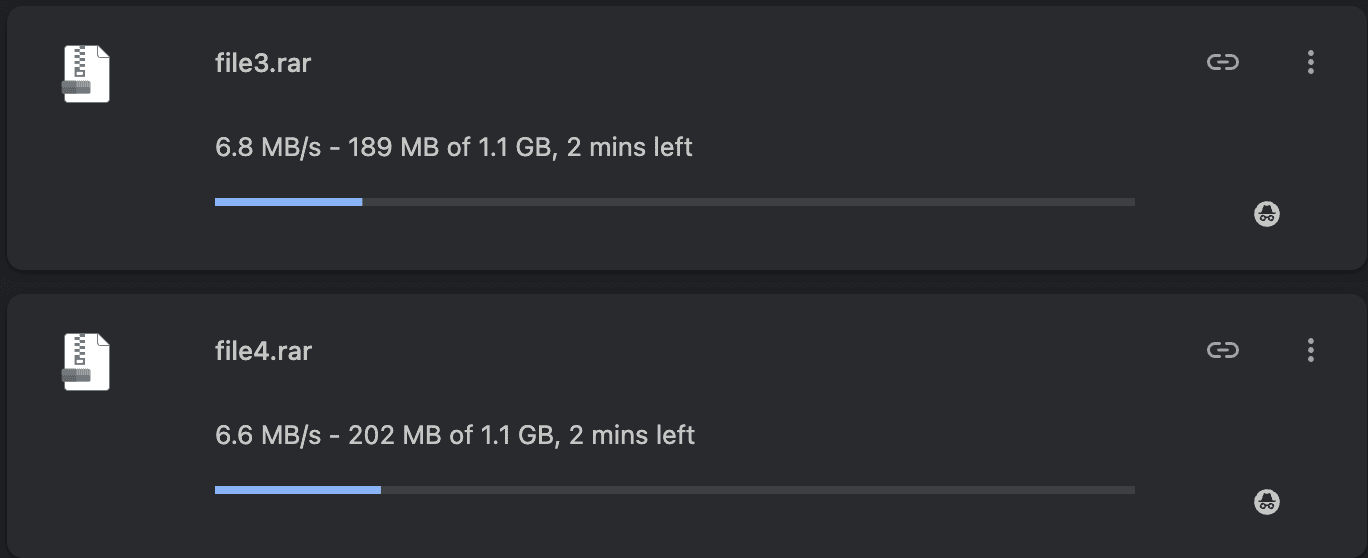
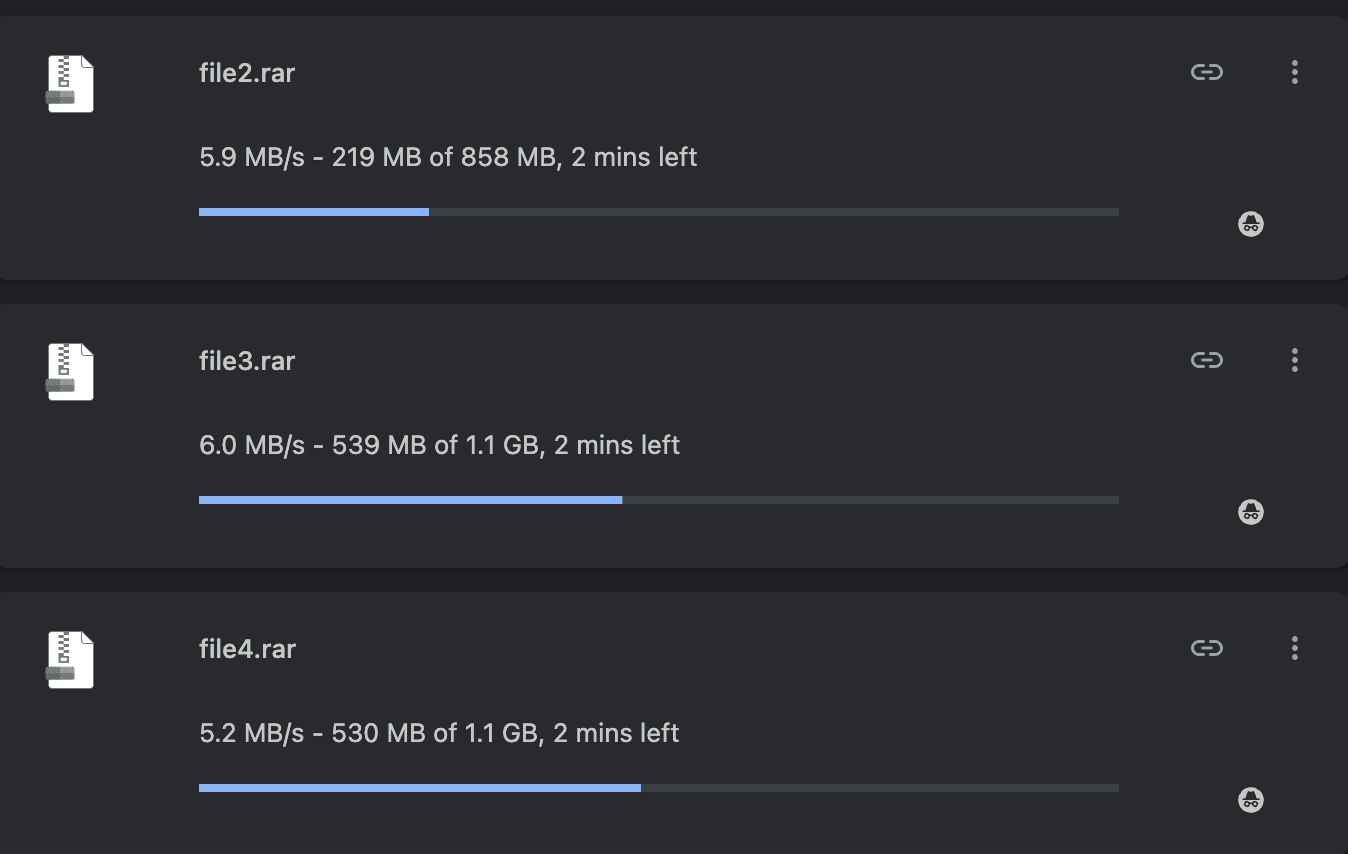
Real-world speeds depend on your ISP, region, routing, and server load at the time you download.
Free vs. Premium Account Features
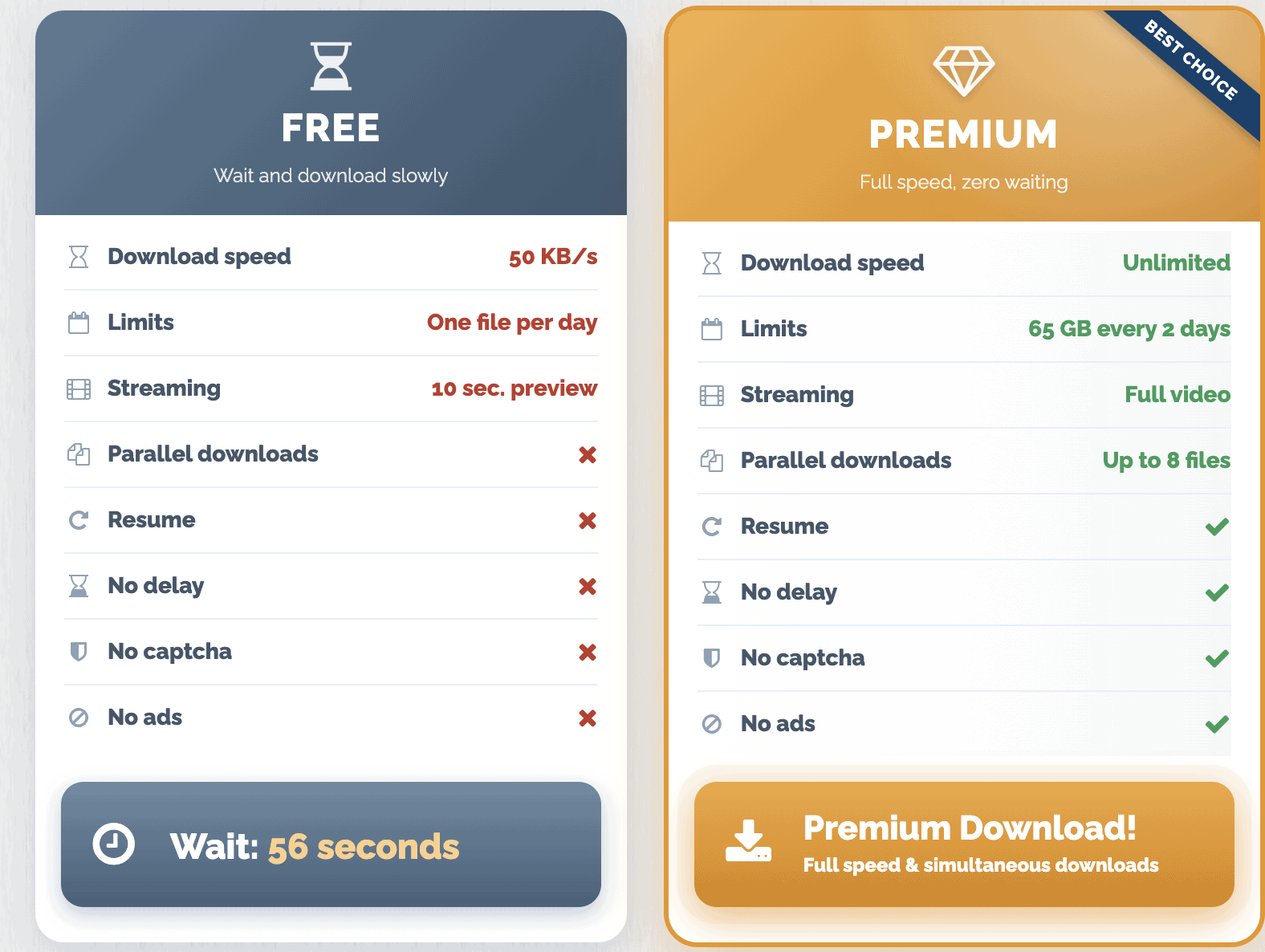
Beyond speed, the biggest practical upgrades on a Hotlink.cc Premium account are full-length online video playback (Free cuts off after a 10-second preview), download resume, and zero wait timers or captchas.
| Feature | Free downloads | Hotlink.cc Premium |
|---|---|---|
| Download speed | 50 KB/s cap (tested: 37.4 KB/s) | No speed cap (tested: 8.8–17.1 MB/s) |
| Waiting timer & captcha | 56-second wait + captcha + ads | Instant start · No captcha · No ads |
| Download allowance | 1 file per day | 66 GB per rolling 48 hours |
| Online video streaming | 10-second preview only | Full-length video playback |
| Parallel & resume | 1 file at a time · No resume | Up to 8 simultaneous files · Resume supported |
Hotlink.cc Downloader, Video Downloads & 66 GB Limit
You do not need special software to download from Hotlink.cc—Chrome, Firefox, and Safari work out of the box. For multi-gigabyte videos or split .rar archives, pairing your Hotlink.cc Premium login with a download manager like JDownloader 2 or IDM lets you queue links, pause/resume cleanly, and take full advantage of 8 parallel connections.
How the 66 GB rolling 48-hour limit works: Hotlink’s terms and FAQ specify 66 GB per rolling 48 hours (the pricing banner rounds this to “65 GB every 2 days”). There is no midnight reset—traffic restores continuously as downloads older than 48 hours drop out of the window. Check your account dashboard anytime for your live remaining balance.
Free Premium Accounts & Link Generators: What to Expect
Many people search for a Hotlink premium link generator or free Hotlink.cc premium account before upgrading. In practice, both rarely work for large files:
- Shared “free premium” passwords: Hotlink.cc blocks multi-IP account sharing quickly, so public login lists are almost always dead or locked.
- Free premium link generators (leechers): Most enforce strict file-size caps well below typical Hotlink.cc videos, run out of host bandwidth, or send you through aggressive ad redirects.
For a single small file, Hotlink.cc’s official free tier still works. For multi-part archives or full video downloads, the 30-day pass ($23.95) is far more reliable.
Is Hotlink.cc Safe? Login, Billing & How to Buy
Hotlink.cc is an established file and video host with HTTPS-encrypted logins and downloads. Because files are uploaded by third-party users, always check the source of a link and scan downloaded archives or executables on your device.
- Verify your file link first. Open the Hotlink.cc file page and confirm the file is still online. Premium cannot restore deleted files.
- Log in or register on Hotlink.cc. Use an email address you control so you can reset your password or verify payment receipts if needed.
- Choose your plan & check renewal terms. Pick 30, 60, 90, or 365 days. Hotlink’s payment policy states that some plans include recurring billing—review the final total and renewal terms at checkout before confirming.
- Confirm activation. Check that your account shows active Premium status before starting your downloads.
Available payment methods are shown during checkout. For a failed payment or an activation problem, contact Hotlink's official support.
Get Hotlink Premium on Hotlink.cc
Frequently Asked Questions
How much does Hotlink Premium cost?
The listed prices are $23.95 for 30 days, $36.95 for 60 days, $47.95 for 90 days, and $109.95 for 365 days. Some payment methods may add fees. Check the total on the official checkout page.
How much can I download with Premium?
The terms specify 66 GB per rolling 48 hours. Traffic becomes available again as older downloads leave that window. Your account page shows the remaining allowance. This limit applies to download traffic, rather than the number of days in your plan.
How fast are Hotlink.cc Premium downloads?
In our Chrome tests, a single Premium file averaged 8.8 MB/s, two parallel files reached 13.4 MB/s combined, and three parallel files reached 17.1 MB/s combined—compared to 37.4 KB/s on Free. Actual download speeds still vary by your internet connection, location, routing, and server load.
Can I resume an interrupted download?
According to the official FAQ, Premium supports pausing and resuming downloads after a connection drop. Use a browser or download tool that supports this feature. Resume support can help avoid starting a large download again from the beginning.
Does Hotlink Premium renew automatically?
Hotlink's payment policy says some Premium plans include recurring charges. Review the terms of the plan you choose before paying. For a recurring subscription, the policy directs users to official support to request cancellation for the next period.
Who should I contact about payment or account problems?
Contact Hotlink.cc support for payment, activation, cancellation, or refund questions. This website provides an independent buying guide. We do not take payments or manage Hotlink accounts, so account changes must be handled by the service.
Choose Your Hotlink Premium Plan
Compare the prices and download allowance, then choose the duration that fits your expected use. A 30-day plan keeps the upfront cost lower, while the 365-day plan offers a lower cost per day for regular use. Complete your purchase on Hotlink.cc.
Choose Your Hotlink Premium Plan